Buying a Permit Online at Trailsheaven
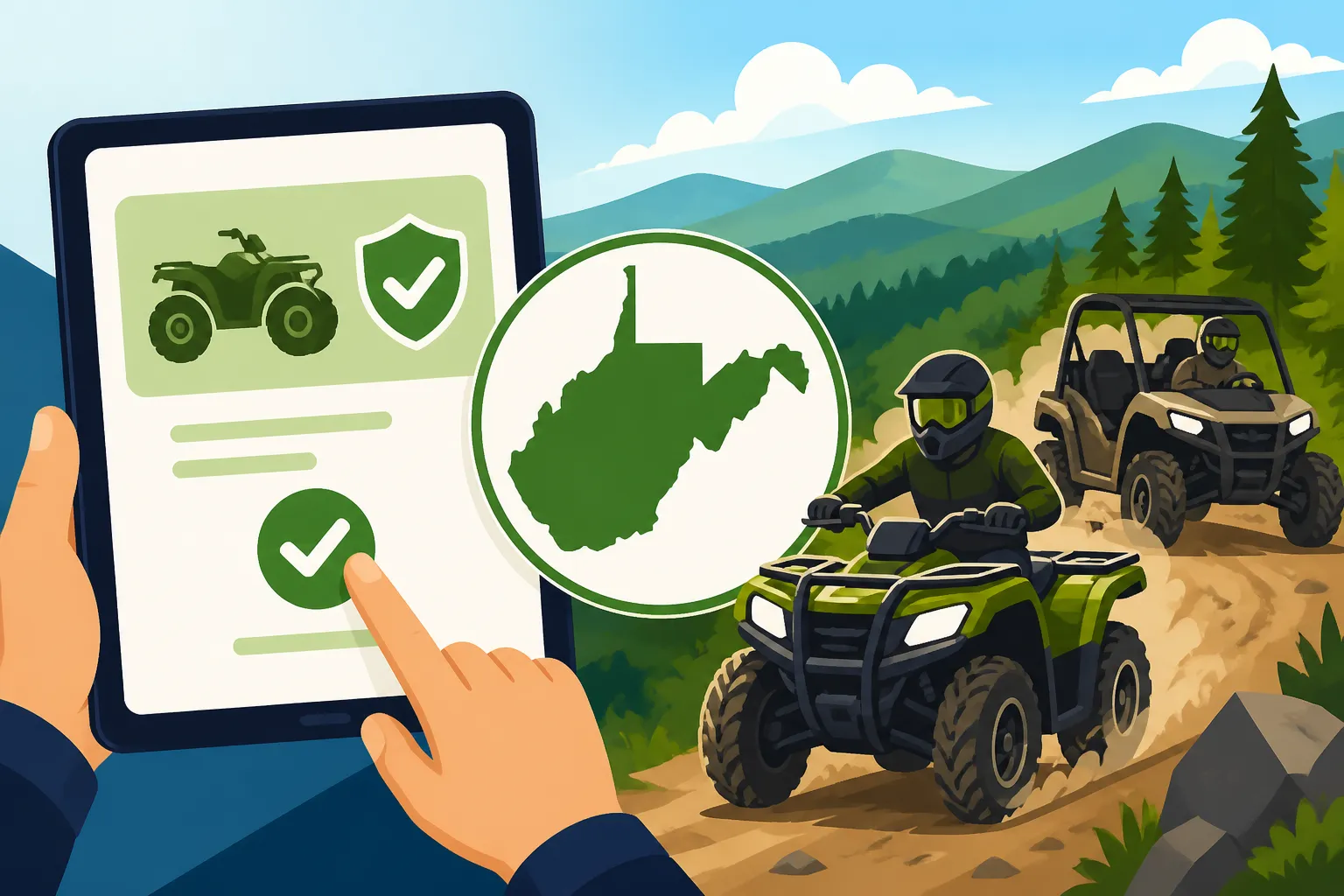
Buying a Hatfield-McCoy Trails permit online can save a stop at a trailhead, but only if you choose the right permit and finish the purchase correctly. The confusing part is that a trail permit is not the same as an ATV title, registration, or safety card. This guide walks through the online process, what to check before paying, and what to do with your confirmation afterward.
Before You Start Your Online Permit Purchase
Trailsheaven is the online channel many riders use to arrange access to the Hatfield-McCoy Trails. The exact screens and available options can change, so treat the instructions on the site as the final word during checkout. Before opening the purchase page, make sure you know which machines will be ridden, who is buying the permits, and which trail system you plan to use.
A permit is tied to trail access, not simply to having an ATV or UTV in West Virginia. It does not replace ownership paperwork, insurance, or any safety-course requirement that applies to you. For a broader explanation of what the permit does and does not cover, see West Virginia’s Hatfield-McCoy Trail Permit Explained and Permits West Virginia Riders Actually Need.
Gather the details first
Have the following information ready before you begin:
- The number of machines that will enter the trail system.
- The type of machine for each permit selection, if the site asks.
- The rider or purchaser’s contact details.
- Any residency information needed to select the correct permit category.
- Your planned riding dates and the length of the visit.
- A payment method accepted by the site.
- A way to save or print the confirmation after checkout.
Do not assume that one purchase covers every machine in your group. The permit is generally handled by machine, so account for each ATV, UTV, or other permitted vehicle that will be ridden. A passenger does not ordinarily need a separate machine permit just for riding along, but confirm current rules for your specific vehicle and trip. One Permit for Every Trail System explains the per-machine question in more detail.
If you are buying for several riders, ask each person which machine they will use and whether any machine is being rented. It is easy to overlook a second quad parked on the trailer or to count passengers as machines. A quick list on your phone can prevent a rushed correction at the trailhead.
Confirm that the permit matches your trip
Before selecting a permit, check that your planned destination is part of the Hatfield-McCoy system and that the permit you are considering applies to that trip. A Hatfield-McCoy permit is not a general pass for every off-road area in West Virginia. Other trail systems, parks, public lands, or privately operated riding areas may have separate access rules and fees.
Check the official trail information for current availability, closures, and permit conditions before you pay. A permit does not guarantee that every route is open on the day you arrive. Weather, maintenance, land access, or other operational issues can affect trail availability. If your schedule is flexible, check status again shortly before leaving home.
Also review the permit’s validity period and any limits on how it can be used. Do not rely on an old screenshot, a prior trip’s permit, or a forum post to establish whether a pass is still valid. The current purchase page and official trail notices are the right places to confirm the details.
How to Buy a Permit Through Trailsheaven
Online checkout is straightforward when you decide the key details in advance. The main task is to make sure the selections match the riders, machines, and dates in your group. Do not hurry through the category screens just to get to payment.
- Open the official Trailsheaven permit-purchase page. Use the address reached through the official Hatfield-McCoy Trails information channels rather than an advertisement or an unfamiliar reseller page. If you are unsure which site is official, start from the trail system’s own website.
- Review the current permit options. Check which permit category fits your residency status and intended visit. Read the validity dates, eligible users, and any conditions shown beside the option.
- Select the correct quantity. Count the machines that will be ridden, not the number of people in your group. If the page asks for machine details, enter them carefully and make sure each machine is represented as required.
- Enter the purchaser and contact information. Use an email address you can access during the trip. Check spelling before continuing; a confirmation sent to a mistyped address can be difficult to retrieve.
- Review the order summary. Confirm the permit type, quantity, validity period, and total before submitting payment. If anything looks wrong, correct it before completing checkout.
- Save the confirmation. Keep the confirmation email or order record, and download or print any permit document the site provides. Check whether the instructions require you to display a sticker or other permit proof on the machine.
- Follow the site’s delivery or pickup instructions. Some purchase processes may provide printable material, while others may direct you to collect or receive something through an approved channel. Follow the current instructions rather than assuming the permit will arrive in a particular format.
For the current purchase options and approved sales channels, see Where to Buy a Hatfield-McCoy Trail Permit. If you would rather handle the transaction in person, compare the online route with Buying a Permit at a Hatfield-McCoy Trailhead. Buying at a trailhead can be a useful backup, but do not assume it will be the quickest option during a busy arrival window.
Choosing the right category
Permit categories can reflect factors such as residency, type of visit, or other eligibility rules. Read the definitions instead of choosing the cheapest-looking option or copying what a friend selected. A resident discount, where available, is for riders who meet the current residency requirements. It is not simply a discount for someone who owns property, has family in the state, or rides there often. See West Virginia Resident Discounts on Trail Permits for the kinds of residency questions to check.
If you are visiting from another state, select the option intended for nonresidents unless the official rules clearly say otherwise. An out-of-state registration or title may help establish ownership or identify your machine, but it does not automatically serve as a Hatfield-McCoy trail permit. Riders coming from elsewhere should also review Out-of-State Riders on West Virginia Trails.
If you are buying on behalf of a group, avoid guessing about another person’s eligibility. Ask the rider directly or have them complete their own purchase. This is especially sensible when the permit category depends on personal information, because the purchaser may be asked to certify that the selection is accurate.
Review the total without relying on an old price
The online checkout should show the current amount due before you submit payment. Permit prices, service charges, and payment options can change, so use the current order summary rather than relying on an old receipt, screenshot, or online discussion. If a charge is not clear, pause and check the official permit information before paying.
That is also a good moment to check whether the order includes only the permit or anything else. A permit purchase should not be assumed to include a rental, lodging, safety equipment, insurance, or access to a different trail network. If your trip includes a rental machine, ask the rental provider specifically whether your booking includes the required trail permit. The answer can vary by package and provider; Does a West Virginia Rental Include the Trail Permit? covers what to clarify.
After Checkout: Save, Print, and Display Permit Proof
A successful payment is not the last step. Read the confirmation message and any permit instructions carefully. It should tell you what proof you need to keep, whether anything must be printed, and how the permit must be displayed. Requirements can differ by permit type or change over time, so do not assume that an email receipt alone is sufficient.
Save the confirmation in at least two practical ways. For example, keep the email in an account you can open on your phone and save a copy to the device. If the site provides a document for printing, print it before you leave rather than depending on a hotel printer or trailhead connection. See Printing a Hatfield-McCoy Permit at Home for more on preparing a paper copy.
A phone screenshot can be useful as a backup, but it may not replace a required sticker or other physical proof. If the instructions require a sticker, follow the placement directions and make sure it remains visible and attached. Do not cover it with a plate, strap, mud flap, or accessory. The practical details are covered in Mounting a Hatfield-McCoy Permit Sticker.
Make a simple permit record for each machine
For a group trip, keep a short list that connects each machine to its permit information. That makes it easier to spot a missing permit before you unload. A useful record can include:
| Machine | Assigned rider | Permit status | Proof saved | Display checked |
|---|---|---|---|---|
| ATV 1 | Rider name | Purchased or needs attention | Email or printed copy | Yes or no |
| UTV 1 | Driver name | Purchased or needs attention | Email or printed copy | Yes or no |
| ATV 2 | Rider name | Purchased or needs attention | Email or printed copy | Yes or no |
Use the confirmation or official instructions to identify which details matter; the table is just a planning aid. Do not write payment-card information in it. If a permit is associated with a particular machine or purchaser, keep those details together so another rider does not accidentally use the wrong proof.
For a paper backup, keep the document out of direct rain and away from loose cargo. A small waterproof sleeve can help protect a printed confirmation or route note. If you order a sleeve through Amazon, check that it can be secured without blocking the permit display or interfering with safe operation.
A phone can also be useful for keeping the confirmation accessible, but trail riding can drain a battery and reception may be limited. A compact battery pack from Amazon may help keep a device charged during the drive and the ride; test it before the trip and store it so it cannot become a loose object in the machine. A third useful purchase might be a dust-resistant screen protector from Amazon if you rely on your phone for maps, but it is no substitute for an offline map or required permit proof.
Check display and machine details before leaving
Before loading up, compare the machine with the permit information you bought. If you entered a machine identifier or selected a vehicle type, make sure the details are accurate. If you notice an error, contact the permit provider or follow the official correction process before riding. Do not assume that a receipt for a similar machine will cover the one you brought.
Check that any required sticker or display material is attached where the official instructions specify. A loose permit can be lost on the trailer, damaged by pressure washing, or hidden by cargo. If the site instructs you to print a document, do not laminate or alter it unless the instructions allow that. Keep a copy with your trip paperwork, but do not treat carrying a document as permission to ride outside the permitted area.
Common Online Purchase Problems and How to Avoid Them
Most permit problems are preventable with a few minutes of checking. The mistakes below are especially easy to make when a group is trying to finish online purchases at the last minute.
Buying too few permits
The most common counting error is buying one permit for the group rather than accounting for each machine. Count the vehicles that will be operated on the trail, including machines owned by different family members. If a rental provider says a permit is included, get that confirmed for the specific booking and machine rather than assuming it applies to every rental.
Selecting the wrong residency option
A local address, family connection, or vacation property may not be enough to qualify for a resident category. Read the current definition and be prepared to provide any proof required. If you cannot confirm eligibility, do not guess. Contact the official permit channel or choose the appropriate nonresident option.
Assuming an online receipt is the whole permit
An email receipt proves that a transaction took place, but it may not satisfy every requirement for riding. The confirmation may instruct you to print something, pick up a sticker, or display proof on the machine. Read the complete message and follow the instructions for the specific permit.
Using an old or duplicate order
Before repeating a payment after a slow page or interrupted checkout, check your email and order history. You may have completed the purchase even if the browser did not return to a clear success screen. If you cannot tell whether the order went through, use the official contact method before paying again. A duplicate purchase may take time to resolve and could leave you with no immediate answer on which record to use.
Entering inaccurate details
Take care with email addresses, permit quantity, and any machine or rider details the page requests. A small typo can make a confirmation difficult to locate or create uncertainty about the purchase. Review the summary screen before payment and save the order number or reference if one is provided.
Waiting until arrival to resolve questions
Buying online is most useful when you finish the transaction before you are standing beside the trailer. If you wait until the trailhead, you may have poor reception, a crowded sales area, or a long line. Buy ahead when possible, then check the official trail status again close to departure.
If you have already arrived and discover a problem, do not ride while you try to sort it out. Ask trail staff or an authorized permit seller what to do, and follow their instructions. A confirmed purchase is not a reason to ignore a missing display, incorrect permit category, or machine that was not included in the order.
Permits, Reciprocity, and What Online Purchase Does Not Cover
A permit purchased online is permission to use the specified trail system under its rules. It is not a substitute for a title, registration, insurance, rider safety documentation, or permission from a private landowner. Keeping these categories separate prevents a common misunderstanding: possessing one kind of paperwork does not automatically satisfy another requirement.
For example, an out-of-state title or registration may show that a machine is legally owned or recognized in another jurisdiction. It does not, by itself, grant access to Hatfield-McCoy Trails. Likewise, buying a trail permit does not make an otherwise ineligible machine road-legal or authorize riding on a public road, a closed route, or land outside the trail boundary. What a Trail Permit Does Not Cover is a useful companion if you are sorting out the limits of trail access.
The same distinction applies to safety requirements. A permit is not a safety card. Whether a rider needs a West Virginia safety course or qualifies for an exception depends on the applicable rules and circumstances. Managed trail access may have specific treatment, but do not assume that a permit purchase alone settles the question. Review West Virginia’s ATV Safety Awareness Course and the current trail rules before a first visit, especially when younger riders are in the group.
A permit for one network is not a pass for every place
West Virginia has different types of riding opportunities, and they do not all operate under one permit system. A pass for Hatfield-McCoy Trails should not be treated as an all-purpose authorization for another managed trail, an off-road park, a forest road, or private property. Check the rules for every place on your itinerary, even if the areas are close together.
If you plan to connect a trail ride with a town visit or a road section, confirm the separate road-use rules and whether the machine qualifies. A trail permit is not permission to use public roads. Similarly, a machine that can legally be ridden on a road does not automatically have access to every trail.
Keep purchase records until the trip is over
Save the confirmation and any permit proof through the end of your visit. If a question comes up at check-in or on the trail, having the order record accessible can help staff identify the transaction. Keep your machine’s title or ownership documents stored securely rather than carrying original paperwork loose on a ride. Bring only what the current rules or your particular situation require.
If plans change, do not assume that you can transfer a permit to another person, machine, or date. Review the current cancellation, transfer, and refund terms before purchasing. If you bought the wrong option, contact the official permit provider promptly and explain the mistake. Do not buy a second permit until you understand whether the first order can be corrected or credited.
The safest approach is simple: confirm the official permit option, buy for each machine as required, save the confirmation, follow display instructions, and check trail status before setting out. That keeps the online purchase useful without confusing it with the separate paperwork and access rules that apply to the machine and the ride.
Disclaimer
This article is for general informational purposes only and does not constitute professional advice. Laws, prices and regulations vary by location and change over time. Consult a qualified professional for guidance on your specific situation.